Table QR ordering for hospitality
Ordering without the wait — straight from table to kitchen
Guests scan, order and pay at the table. Straight to your kitchen and POS.
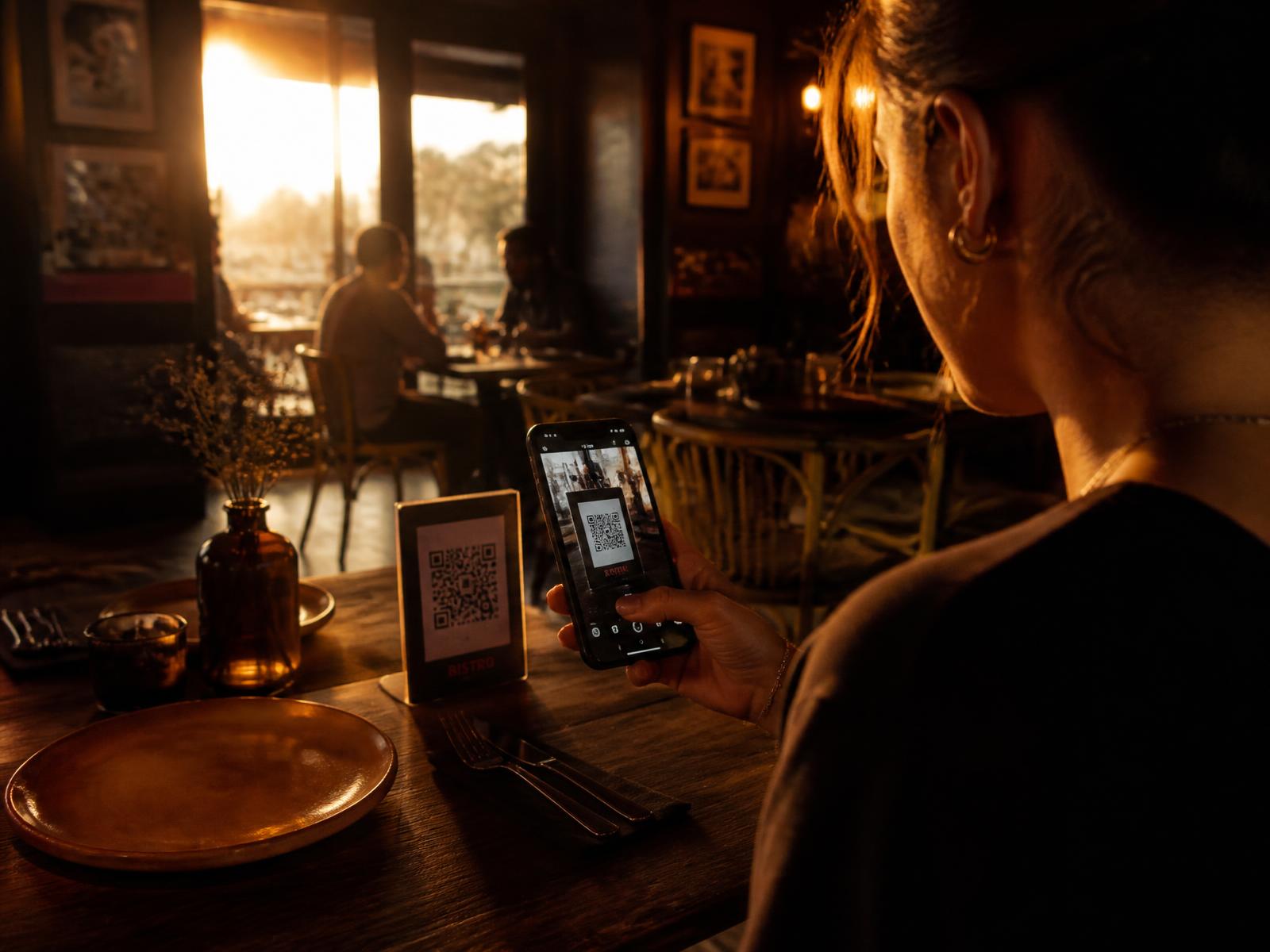
Table 4 · order #42
In the kitchen within 3 seconds of being placed.
Two routes: works with the POS you already have — Lightspeed, unTill, Countr POS — or as a full replacement. Whatever fits your venue.
Guests order faster and add upsell items themselves, without your staff having to walk extra tables.
High-end hospitality software at an honest price — built for the corner café as much as the chain. Price agreed together, no commission, no surprises.
- -4 min
- avg. ordering time per table
- +18%
- avg. spend per table
- 6 languages
- menu translated automatically
Indicative figures based on comparable hospitality venues.
Live interactive demo
Click through the entire order flow yourself
No video, no screenshot: this is the real flow. Scan the QR as a guest, watch the order land on the kitchen screen, take it manually as staff, and settle up at the till.
Tip: place an order as a guest first, then switch to Kitchen, Staff and Till.
Table 4 — Bistro Iniscale
The guest scans the QR stand on the table. No app, no install.
The honest story
Pros and cons — plus how we solve them
QR ordering isn't a miracle cure. That's why we openly share what it delivers and what to watch out for.
What it gets you
- High-quality software at a fixed, fair price — no commission on your revenue
- Guests order instantly — no waiting for staff during busy hours
- Works with your existing POS or as a full replacement — you choose the route
- Higher average spend through upsell suggestions and a visual menu
- Staff have more time for guest contact instead of running orders
- Menu in 6 languages, allergens always correct and up to date
- Zero typos between table, kitchen and till
- Sold-out items removed from the menu with a single tap, visible instantly
What to watch out for
- Do I have to replace my current POS system?
Our solution: No. We also integrate with existing POS systems such as Lightspeed, unTill and Countr POS — replacing is possible, but not required
- Some guests prefer to order in person
Our solution: QR is an extra channel, not a replacement — staff can still take orders in the same app
- Not every guest has a smartphone or data
Our solution: Guest wifi and a paper menu remain available; table service as a fallback
- Staff need to learn new screens
Our solution: Kitchen screen and staff app can be learned in a single shift; we handle onboarding on site
- Dependent on internet on site
Our solution: Local buffer on the till: orders keep going through during a brief outage and sync automatically afterwards
Before & after
Same shift, a different night
Compare a regular busy Saturday night with the same night on Iniscale QR.
Taking the order
WithoutGuest waits 6–9 minutes for staff to have time, then another round for drinks.
With Iniscale QRGuest scans and orders within 90 seconds, drinks and dishes in one go.
To the kitchen
WithoutOrder on paper or retyped at the till — risk of typos and lost tickets.
With Iniscale QRTicket appears on the kitchen screen within 3 seconds, with allergies and table number.
Upsell
WithoutDepends on how busy it is and how experienced the staff member is.
With Iniscale QREvery guest sees the same suggestion: an extra side, wine pairing or dessert.
Paying the bill
WithoutAsk for the bill, wait, fetch the card reader, split it by hand.
With Iniscale QRGuest pays themselves at the table with iDEAL or card, splitting and tipping built in.
End of shift
WithoutCount the till, revenue tallied manually in Excel, no insight per dish.
With Iniscale QRDaily report ready: revenue per hour, category, staff member and table.
Illustrative comparison based on similar hospitality venues.
Reports
Close every shift with numbers, not gut feeling
Revenue per hour, bestsellers, channel split and staff workload. Exportable to your accounting software.
Revenue today
€ 5.980,00
+12% vs. last Saturday
Avg. per table
€ 47,20
+18% since QR went live
Tables served
127
avg. 68 min turnaround
Revenue per hour
CSV / accountingOrder channels
- QR at table62%
- Waitstaff27%
- Takeaway11%
Best-selling items today
Sample data to illustrate the reporting dashboard.
The complete system
From table to bookkeeping — one continuous flow
No separate tools you need to stitch together yourself. Every step talks to the next, in real time. Only step 5 differs per venue: your own till or a link to the till you already have.
1. QR on the table
A unique code per table. Guests scan, no app install needed.
2. Guest orders
Visual menu with allergens, 6 languages, upsell suggestions and live order status.
3. Kitchen screen
Ticket appears within 3 seconds, sorted by course and prep time.
4. Waitstaff app
Take orders manually, tick off served dishes, merge or split tables.
5. Till or integration
Our till with iDEAL, card, tips and splitting — or an integration with your existing till.
6. Reporting
Everything comes together in one dashboard and flows through to your accounting.
Variant A · full replacement
Iniscale till as the heart of your venue
Ordering, kitchen, waitstaff, payments and reporting in one system. Ideal if you don't have a till yet or are due for a replacement.
- iDEAL, card, tips and splitting at the table
- One supplier, one support line
- Reporting and accounting export included
Variant B · integration
Your existing till stays in place
Link QR ordering, kitchen screen and waitstaff app to Lightspeed, unTill, Countr POS and similar systems. No need to switch.
- Receipts and revenue land in your current till
- Staff keep using the till they already know
- Items and prices sync automatically
< 3 sec
from table to kitchen screen
99.9%
uptime with offline buffer
No
installation costs, hardware-independent
Pricing
One tailored price per location, no commission per order
Every venue differs in size and needs — so we always set the price together with you. Transparent, no percentage of your revenue and no surprises later.
Basic
For cafés and lunchrooms that want to start with QR ordering.
Price on request
tailored to your venue
- QR ordering for up to 20 tables
- Digital menu with allergen info
- Kitchen screen (1 device)
- Integration with your existing POS
- Basic daily reporting
- Email support
Pro
For restaurants that want the full flow from table to till.
Price on request
tailored to your venue
- Unlimited tables
- Waiter app for unlimited staff
- Own POS with iDEAL, card, tips & splitting, or link to your current POS
- Menu in 6 languages
- Full reporting dashboard + export
- Upsell suggestions and happy-hour rules
- Phone support 7 days a week
Enterprise
For chains and hospitality groups with central control.
Custom
multiple locations
- Everything in Pro
- Multi-location dashboard and permission management
- API & integration with your own ERP/accounting
- Your own branding and domain
- On-site onboarding + dedicated account manager
- SLA with guaranteed response times
Transparent, no small print
Price agreed together
No standard rate that fits nobody: we look at your size and needs and put it in writing. No setup fee, no commission per order.
No hidden costs
Updates, support and integrations are part of your plan — no extra invoices later.
Cancel any month
No annual contract to get started. You stay because it works.
Not ready for a call yet? Click through the live demo above yourself — no details needed.
Try the demo yourselfWithin one working day you get a clear quote matched to your number of tables, locations and the route you pick — VAT breakdown included.
All plans start with a 30-day trial. Keep the hardware — it runs on your existing tablets and phones.
Integration with your existing POS system (Lightspeed, unTill, Countr POS and similar) is included in every plan. You choose whether to use our checkout or keep your current one.
Social proof
This is what it sounds like on the floor
Please note: the quotes below are example texts illustrating the outcome we're aiming for — not real customer quotes.
On Friday nights guests no longer stand around waiting to order. My staff are doing rounds for the guest again, not for the tickets.
Example Name
Bistro owner (fictional example)
The kitchen finally has one source of truth. Allergies are printed on the ticket, so no more shouting across the bar.
Example Name
Head chef, city restaurant (fictional example)
The daily report saves me an hour of admin per shift. I can see exactly which dish is selling and which isn't.
Example Name
Manager, grand café (fictional example)
Request a demo
See it work with your own menu
Leave your details and we'll schedule a demo outside your busy hours. No sales pitch — we'll build your menu live.
- 30 minutes online, or on-site at your venue
- We'll go through your menu and table layout together
- You'll get a test environment with your own QR codes right away